Published in Articles
How to Manage Discord and Slack in One Place
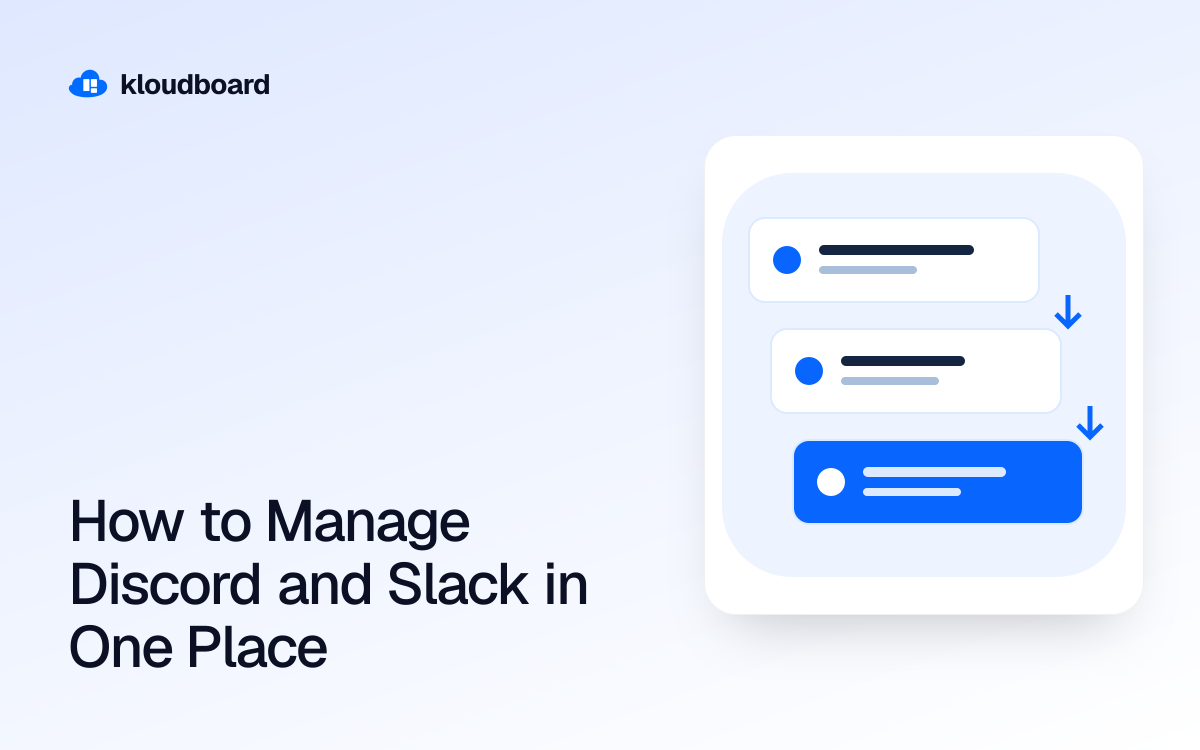
If your team runs projects through Slack but your community, freelancers, or clients live on Discord, you already know the tax that gets paid every day: switching apps, re-reading the same update twice, and missing a message because it landed in the “wrong” platform. Managing both at once is less about picking a winner and more about reducing how many places you have to check to know what's going on.
Key takeaways
- Most teams end up running Slack and Discord side by side because each app serves a different audience, not because one is objectively better.
- Notification overload, not the number of apps, is usually the real problem — fixing channel structure often helps more than switching tools.
- Native bridging bots exist but are unofficial, break on updates, and don't preserve threads or file context well.
- Chat-bridging features built into project tools can pull both platforms into a single inbox tied to your actual project boards.
- Decide per-conversation whether something belongs in chat at all, or should move to a task, comment, or document instead.
Why teams end up running both apps
Nobody sets out to manage two chat platforms. It happens gradually:
- Slack becomes the internal tool because it integrates with HR software, has better enterprise search, and feels “professional” for client-facing work.
- Discord becomes the community or creator layer because voice channels are free and low-friction, moderation tools are stronger for large public servers, and your audience, streamers, or freelancers are already there.
Agencies working with YouTube teams or streamers often see this split most sharply: internal producers and editors coordinate in Slack, while talent, moderators, and community members live in Discord. Trying to force everyone onto one platform usually fails, because each group has a real reason for being where they are.
The real problem: notification fragmentation, not app count
Before reaching for a bridging tool, it's worth diagnosing what's actually breaking. Two apps isn't inherently unmanageable — badly organized channels are. Common culprits:
- Too many always-on channels. If every project, client, and side conversation gets its own channel in both apps, you're multiplying surface area for missed messages.
- No distinction between “read when convenient” and “respond now.” Slack and Discord both flatten urgency into the same visual weight unless you're disciplined with mentions and pinned messages.
- Decisions buried in chat history. If a client approval or a contractor's rate change only exists in a Discord DM from three weeks ago, that's a process problem chat apps were never built to solve.
Tip
Before you add a bridging tool, spend 20 minutes archiving dead channels in both apps. A smaller, cleaner channel list often fixes half the “I missed that” complaints on its own.
Three approaches to unifying Discord and Slack
1. Manual discipline: pick a primary and mirror manually
Some teams just designate one platform as the source of truth and manually copy key updates into the other. This works for small teams with light cross-platform traffic, but it doesn't scale — someone becomes the unofficial human bridge, and messages get paraphrased, delayed, or forgotten.
2. Third-party or DIY bridging bots
There are unofficial bots and scripts that mirror messages between a Slack channel and a Discord channel. They can work for simple text relay, but common limitations include:
- Threads in Slack don't map cleanly to Discord's flatter reply structure, so context gets lost.
- File attachments, especially large video files, often don't transfer or get compressed.
- They break when either platform pushes an API update, and you're the one debugging it.
- They don't tie messages back to a task, deliverable, or client — it's just chat, floating with no project context.
3. A unified inbox inside your project workspace
The more durable fix is routing both platforms into a tool that was built to hold your actual work — projects, deliverables, and files — and let chat sit next to that context instead of floating separately. This is the approach kloudboard takes with its chat bridging: Slack, Discord, and WhatsApp conversations feed into one unified inbox inside kloudboard's real-time Messages, alongside the project boards those conversations are actually about.
The practical difference is that when a client mentions a revision in Discord and an editor asks a question in Slack, both show up in the same inbox instead of two tabs you have to babysit separately. You're not forcing your community off Discord or your ops team off Slack — you're just removing the requirement to physically live in both apps to stay current.
| Approach | Setup effort | Handles files/threads | Ties to project work |
|---|---|---|---|
| Manual mirroring | None, but ongoing manual work | No | No |
| DIY/bridging bots | Medium, plus maintenance | Partially, breaks often | No |
| Unified inbox (e.g. kloudboard) | Low, one-time connection | Yes | Yes, linked to boards |
Building a workable system, step by step
Whichever route you choose, the structure matters more than the tool. Here's a sequence that works whether you're bridging manually or using a unified inbox.
Draw a line between chat and work
The biggest long-term fix isn't a bridging tool at all — it's deciding what shouldn't live in chat in the first place. A client approving a final cut, a freelancer's payment terms, or a contractor's deliverable schedule shouldn't only exist as a message you have to scroll back to find. Those belong on a project board with custom stages, in a contract with an e-signature, or attached to a specific file for review.
Kloudboard's kanban boards handle the “where is this task” question, while frame-accurate video review handles feedback on actual deliverables with timestamped comments and draw-on-frame annotations — including from guest reviewers who never need to create an account. That leaves Slack and Discord to do what they're actually good at: fast, informal back-and-forth, not the system of record for your work.
Where this matters most
Chat fragmentation hits some team types harder than others:
- Creative agencies and marketing teams juggling internal Slack workspaces with client-run Discord servers for feedback rounds.
- YouTube teams and streamers where the community lives in Discord but the production pipeline runs in Slack.
- Clipping and social media agencies coordinating a distributed roster of freelancers who each have their own platform preference.
- Podcast studios and production studios managing guests and contractors who show up wherever is easiest for them, not wherever is easiest for you.
If any of that sounds familiar, the fix usually isn't “make everyone switch platforms.” It's routing the noise into one place and keeping the actual work — approvals, contracts, payments, files — somewhere more durable than a chat log.
FAQ
Can I fully merge Discord and Slack into one app?
Not natively — Slack and Discord don't offer an official merge feature. You can bridge them so messages from both show up in a single inbox, which is functionally close to a merge for day-to-day monitoring, but each platform still runs independently behind the scenes.
Is there a free way to bridge Discord and Slack?
There are free, unofficial bots that relay text messages between a Slack channel and a Discord channel, but they typically don't handle threads, large files, or reactions well, and they can break without warning when either platform updates its API. They're workable for casual use but risky for anything client-facing.
Should my team switch entirely to one platform instead of managing both?
Only if both audiences are willing to move, which is rare. Internal teams often prefer Slack's search and integrations, while communities and freelancers often prefer Discord's voice channels and free tier. Unifying the inbox is usually more realistic than forcing a full migration.
How do I stop missing important messages across two chat apps?
Start by cutting inactive channels in both apps, then set a clear rule for what counts as urgent versus informational. If that alone doesn't fix it, route both platforms into a single unified inbox so you're checking one place instead of switching between apps throughout the day.
Bringing it together
Managing Discord and Slack in one place isn't really about the apps — it's about deciding what deserves a channel, what deserves a task, and what deserves a signature. Once you've drawn those lines, a bridging setup just makes sure nothing falls through the cracks between two tools your different audiences already prefer.
Kloudboard's chat bridging pulls Slack, Discord, and WhatsApp into one real-time inbox, sitting next to the project boards, contracts, and file reviews those conversations are actually about. If you want to see how it fits your workflow, the 14-day trial unlocks everything, or you can browse solutions by team type to see setups closest to yours. For teams currently patchworking Trello, Notion, or Asana alongside their chat apps, it's also worth checking how kloudboard compares to the tools you're already using.
Related articles
The workspace for creative teams
Manage projects, pay your team, and ship content faster.
Start for free